
1
1. Upload the Clip
Choose an MP4, MOV, or WebM file. Start from the best export you have, because the repair can only use detail still in the footage.
Stickers are fun on the day you post. Later they hide a face, a product, or a view you want back. Remove sticker overlays and reuse the footage.

Creators often drop a heart or a laughing face on a talking clip, then want the same footage for a client reel. Upload the clip and let Auto Remove find the emoji layer. The aim is to remove sticker art and rebuild the cheek, hair, or background behind it. Play the preview at normal speed, because a gesture moving behind the old emoji is where a weak fill shows first.
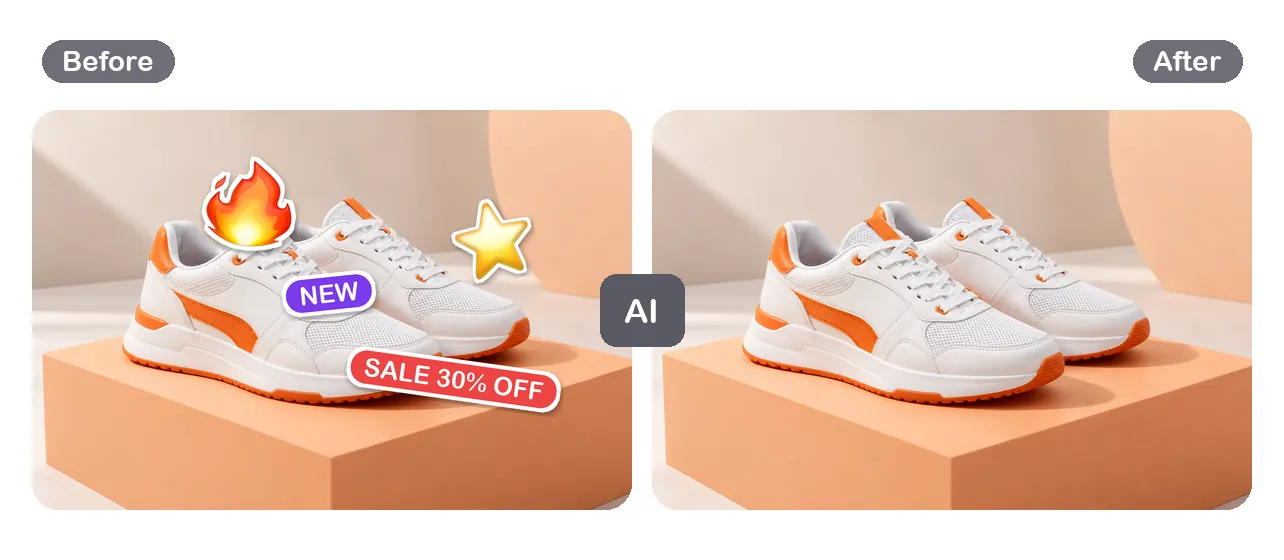
A sale badge or a fire icon can date a product video quickly. When the offer ends, remove sticker badges instead of reshooting. Product footage is unforgiving: stitching, printed logos, and studio gradients must survive the repair. Check the preview at the edges of the shoe, box, or bottle, where a fill can smear. If it holds up, process the full clip and reuse it in a new campaign.
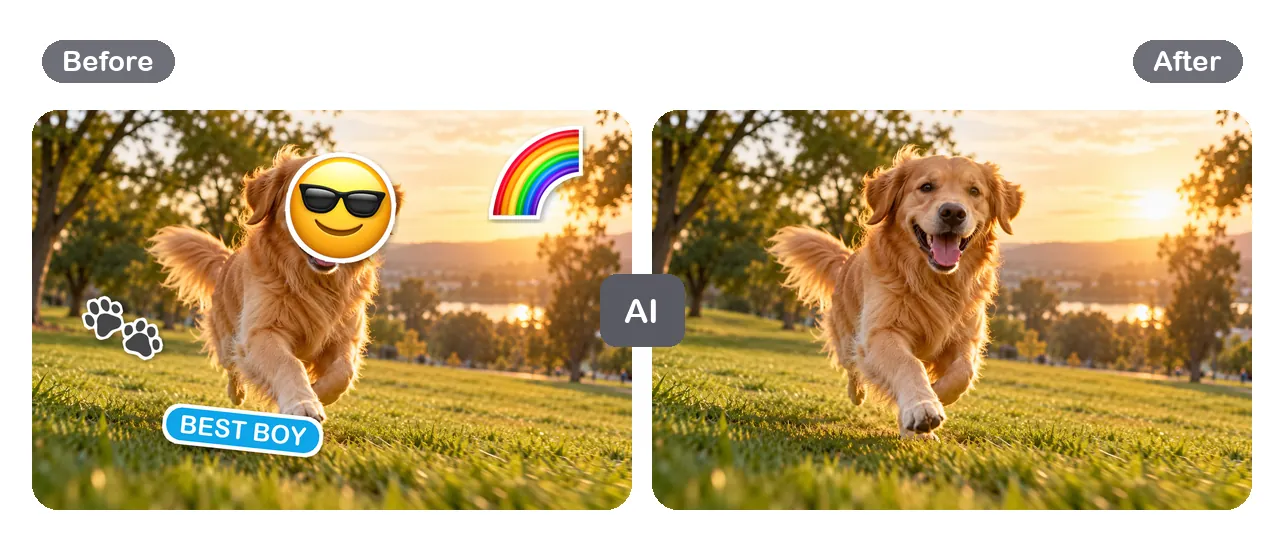
Short-form apps bake stickers, GIF overlays, and emoji into an export. If you only kept the exported file, the original layers are gone. You can still remove stickers from TikTok video exports, Reels, and Shorts: remove sticker layers as overlays to repair. Grass, sky, and fur are forgiving textures, so pet and travel clips often clean up well, yet watch fast motion before you download.
To remove sticker from video footage well, a tool has to do more than blur a patch. These checks matter when you reuse a clip.
Auto Remove looks for graphics that sit on top of the scene, such as emoji, badges, and sticker art, so you can remove sticker overlays without tracing frames by hand.
The goal is to remove sticker graphics and fill the area with matching texture, light, and motion, not to paste a blurry box over it.
A short free preview shows how the repair behaves in motion. If it does not fit your edit, you have not processed the full clip yet.
You remove the overlay, not the framing. The cleaned clip keeps its size and length, so it drops into your timeline without a re-crop.
Upload, remove, preview, then download. Each step is a point to stop and decide whether the result suits your project.
Choose an MP4, MOV, or WebM file. Start from the best export you have, because the repair can only use detail still in the footage.
Start Auto Remove to remove sticker overlays, then watch the free preview where each one sat during movement, cuts, and changes of light.
If the preview looks right, process the full video and download it. Keep your original file so you can compare, or remove again from a better source.
Answers about sticker removal, emoji overlays, short-form exports, and what to check before you download.
Yes, you can still remove it. Once a sticker is exported it becomes part of each frame, so there is no layer to delete. Upload the exported file and use Auto Remove to remove sticker overlays from the frames. The tool estimates what was behind the graphic from nearby pixels and neighboring frames. Results depend on the background, so watch the preview before you process the whole clip.
A sticker remover takes a graphic added on top of footage, such as an emoji, a GIF, a badge, or a text bubble, and fills the area with content that matches the scene. Cropping cuts the frame and blurring leaves a smudge. Use a sticker remover to remove sticker graphics when you want the full frame back.
To remove emoji from video clips, upload the file, start Auto Remove, and check the preview around the face or object the emoji covered. Emoji often sit on eyes or mouths, the hardest areas to rebuild. If the person turns or talks a lot, look at several moments before you process and download.
You can remove stickers from TikTok video files you have the right to edit, such as your own drafts or exports. Save the clip, upload it here, and run the same remove and preview steps. App exports are compressed, so a clean repair may still look slightly soft where the sticker used to be.
Animated GIF stickers and stickers that follow a subject are harder than a fixed badge, because the covered area changes every frame. You can still remove sticker animations with Auto Remove, but treat the preview as the real test. If the sticker jumps around or covers a large area, expect more visible repair.
The preview is free, so you can see how well the tool can remove sticker overlays on your footage before you spend anything. Processing the full video uses credits. You only pay for a full result after you have seen that the repair works.
Upload MP4, MOV, or WebM files. Use the original export rather than a screen recording or a re-uploaded copy, since each extra round of compression throws away detail the tool needs to rebuild the background.
The area outside the sticker should look like your original footage. The repaired area is generated, so on text, patterns, or faces you may notice small differences. Compare the preview with the original at full screen, and try a better source file and remove again if something looks off.
It is possible, but faces are where viewers notice mistakes first. If the sticker hides most of the face, the tool has little to work from. Small stickers on a cheek or forehead are easier to remove than a large emoji over both eyes.
Text stickers, speech bubbles, and caption boxes are overlays too, so you can remove sticker text the same way. On a busy background, watch the preview for outlines the tool did not remove. For logos and watermark marks, the video watermark remover covers that topic in more depth.
You can open the sticker remover, upload a clip, and run the free preview without an account. Sign in when you want to process the full video with credits, so the result and your history stay linked to you.
Only edit footage you own or have permission to change. Stickers can carry credits, disclosures, or brand marks the owner wants to keep, and removing them can break platform rules or copyright terms. Check your rights first and remove stickers from your own clips.
Upload an MP4, MOV, or WebM clip, let Auto Remove target the sticker or emoji overlay, and check a free preview before you process the full video.